
Installation
Add Diem to PowerPoint
Get up and running in under a minute. No downloads, no configuration — just install the add-in directly inside PowerPoint.
View on Microsoft Marketplace01
Open PowerPoint
Launch Microsoft PowerPoint on your desktop. Diem works with PowerPoint for Microsoft 365, PowerPoint 2019, 2021, and PowerPoint for Mac.
02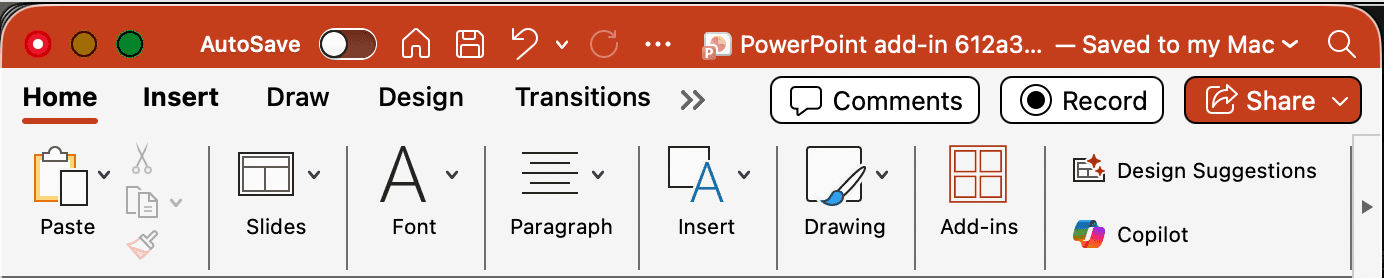
Go to Home → Add-ins
In the top ribbon, click the Home tab, then click Add-ins to open the Office Add-ins store.
03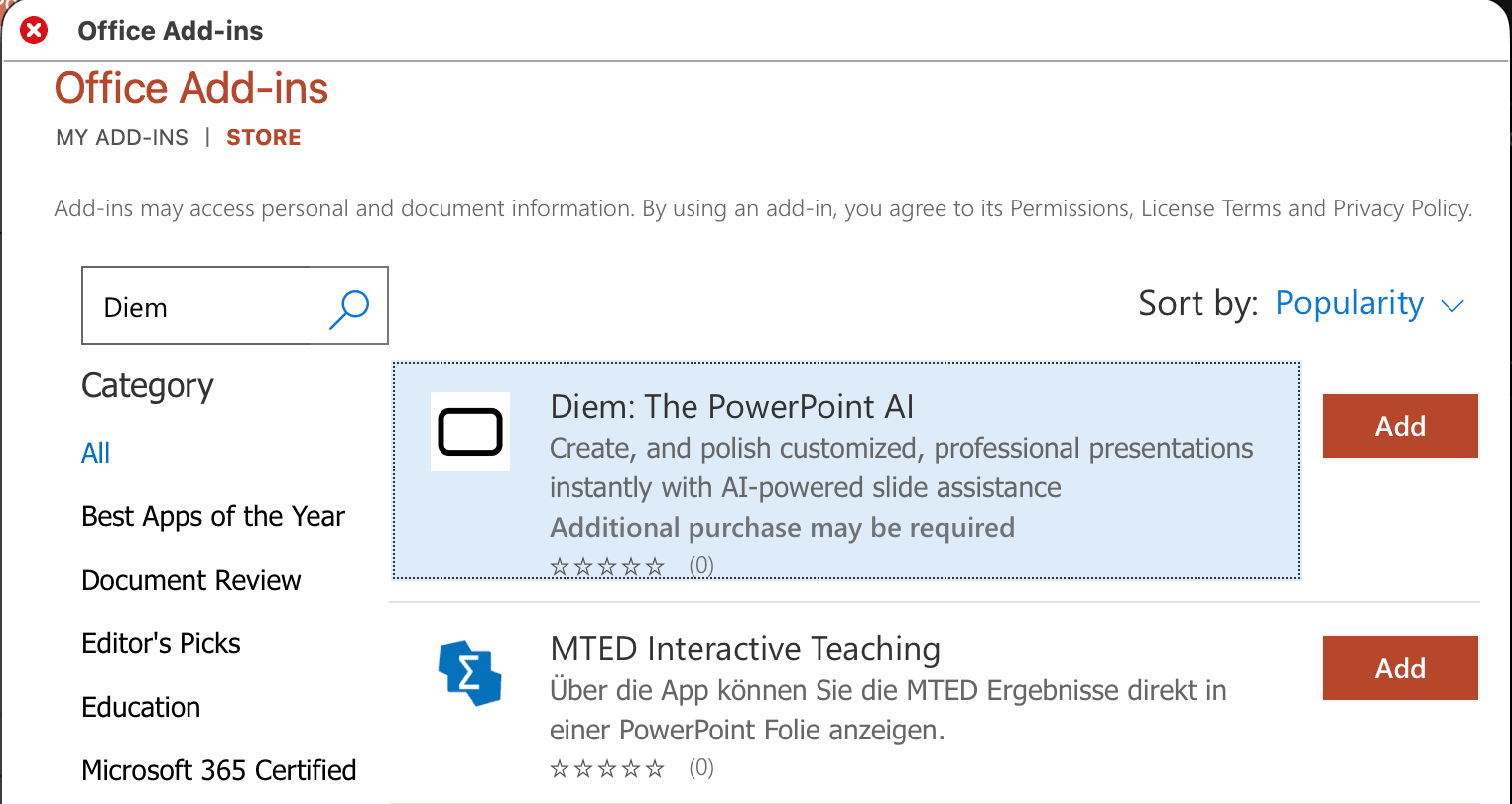
Search for "Diem"
In the search bar of the Office Add-ins dialog, type "Diem" and press Enter to find the add-in.
04
Click Add
Click the Add button next to Diem. The taskpane will appear on the right side of your PowerPoint window — you're ready to go.
Need help?
If you run into any issues during installation, reach out to us at farouk.charkas@usediem.com or call +1 (785) 317-7277.